🐾
Cats on your icons
They walk, jump from icon to icon, sit on the dock and sleep on your favorite apps. Every cat has its own personality, voice and quirks.
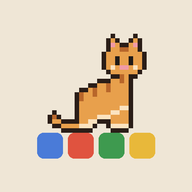
Pixel cats live on your home screen, nap on your icons and meow for snacks.
Nekochi turns your phone's home screen into a home for little pixel-art cats. They walk along your app icons, hop from one to the next, and curl up for a nap on the apps you use every day.
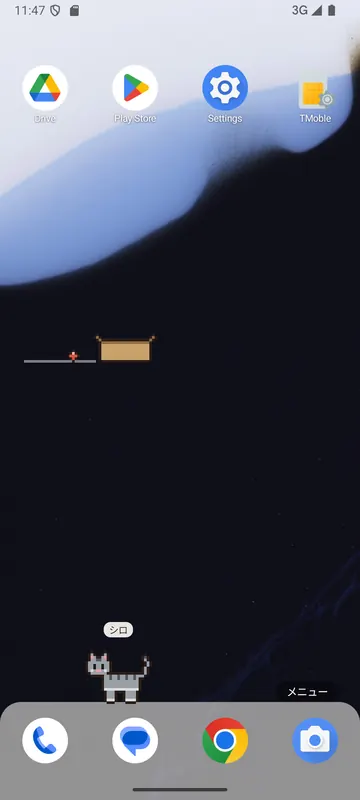
Nekochi knows where every icon is, so your cats treat them as shelves and platforms.
They walk, jump from icon to icon, sit on the dock and sleep on your favorite apps. Every cat has its own personality, voice and quirks.
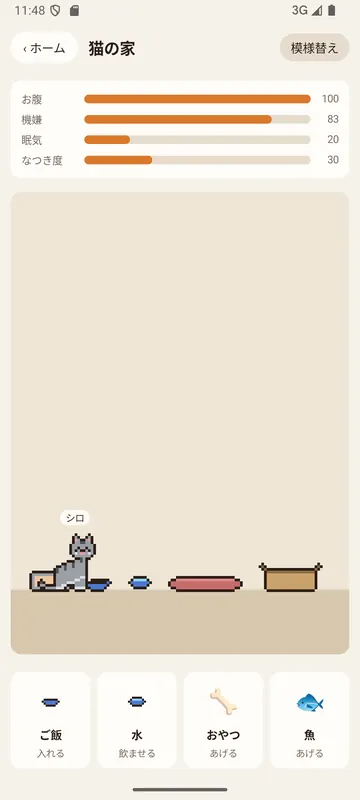
Feed and water your cats, give treats and fish. Add rooms, place furniture and toys anywhere you like — up to 3 cats per room.
Wave the teaser toy, fling the ball, put out a box. Stroke your cat back and forth and it purrs — your phone purrs along with a gentle vibration.
Meows, begging, purring, surprise, hissing, sleep-talking and happy chirps — each cat's voice has its own pitch and never changes.
Hear your cat meow, or only feel it padding around by vibration. Choose how often, set quiet hours. In silent mode, your cat stays silent too.
Nekochi does nothing while you're not looking. With the screen off, the phone locked or the app in the background, the cats, the animation and the clock all stop.
Sign in to Google Play Games (optional) to keep your cats, rooms and furniture in the cloud — new phone, same cats. Or export a backup file yourself.
English, Japanese, German, Spanish, French, Korean, Portuguese (Brazil) and Russian. Follows your phone, or pick one in Settings.
Open the house to look after your cats. A thought bubble tells you when a cat is hungry or thirsty, and the bars show how it's feeling.
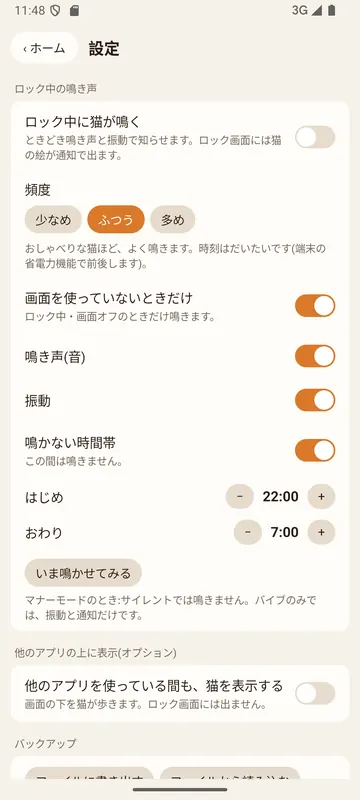
Cats can speak up now and then while your phone is locked. Decide what you want to hear — or feel.
On first launch, give your first cat a name and pick a coat color. They are chosen when you adopt a cat and stay for life.
Choose the Launcher to let cats walk on your home screen, or the Cat room widget to keep your current home app and put a room full of cats on it.
Show all apps, your most used apps, or only the ones you pick. New apps appear right away; removed apps disappear on their own.
Open the cat house to feed them, add rooms and place toys. Wave the teaser toy, throw the ball, and stroke your cat to hear it purr.
No. If you'd rather keep your current home app, use the "Cat room" widget instead — a room full of cats sits on your usual home screen.
Nekochi is free to start and has no ads. Your first cat, the first room, the ball, the teaser toy and the cardboard box are free. Extra cats, rooms, furniture and toys are one-time in-app purchases.
No. Nekochi does nothing while you're not looking — when the screen is off, the phone is locked or the app is in the background, the cats, the animation and the clock all stop.
We don't collect your data. No analytics, no tracking, and we don't run any servers, so we never see it. Signing in to Google Play Games for cloud save is optional.
No. Cloud save is optional. Without it, your cats stay on your device, and you can export a backup file yourself.